Overview

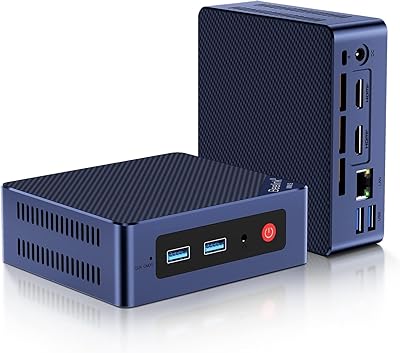
The MOGINSOK MGCN51N Fanless Firewall Mini PC is a compact, completely silent network appliance built specifically for home lab enthusiasts and small business IT setups who take their network security seriously. It ships as a barebone unit — no RAM, no SSD included — which sounds like a limitation but is actually a selling point for its target audience; you pick the memory and storage that fits your workload. The N5105 sits in a comfortable middle ground for firewall duties, and pairing it with quad-port 2.5GbE networking puts it well ahead of older J4125-based appliances still running gigabit NICs. If you're planning to run pfSense, OPNsense, or Proxmox, this hardware was essentially designed around that use case.
Features & Benefits

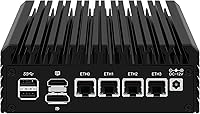
The star of the show is the four Intel I226-V NICs, and that matters more than it might seem. Unlike Realtek-based ports, Intel's I226-V has solid driver support baked into pfSense and OPNsense without any patching gymnastics — you get WAN, LAN, and multiple DMZ or VLAN interfaces out of the box. The N5105 also supports AES-NI hardware acceleration, which translates directly to usable WireGuard or OpenVPN throughput that won't bottleneck a fast internet connection. Cooling is handled entirely passively; the chassis acts as a heatsink, which works well in open or ventilated spaces but needs airflow — don't stuff it in an enclosed cabinet. Storage flexibility is solid too, with both an M.2 NVMe slot and a 2.5-inch SATA bay available.

Best For

This quad-port mini PC is an excellent fit for home lab builders who've outgrown a gigabit Protectli vault or similar device and want 2.5GbE without committing to full rack hardware. Remote workers or small offices running pfSense with VLAN segmentation and a site-to-site VPN will find the performance ceiling here more than adequate. It also works surprisingly well as a low-power Proxmox node for lightweight virtual machines. If you have spare DDR4 SODIMMs and an M.2 NVMe drive sitting around, the value case becomes even stronger. That said, this is not for someone who wants to plug it in and be done — you need to be comfortable with OS installation, BIOS settings, and at minimum some basic networking concepts.

User Feedback

The MGCN51N barebone sits at a 4.5-star average, and the satisfaction pattern makes sense when you look at who's buying it. Technically fluent users consistently praise the build quality and thermal behavior — the chassis stays warm but not hot under sustained load, which is reassuring for 24/7 deployment. Intel NIC compatibility with pfSense is frequently highlighted as working without friction. Criticisms tend to come from buyers who didn't realize it was a barebone, or who ran into thin documentation around BIOS settings. A few users also note that hitting true 2.5GbE speeds requires the full supporting infrastructure — switch, cables, and upstream hardware all need to match. The vendor's responsiveness to warranty and BIOS update requests gets positive mentions.

Pros

  • Four Intel I226-V NICs mean zero driver headaches on pfSense or OPNsense — they just work.
  • AES-NI hardware acceleration keeps WireGuard and OpenVPN tunnels from becoming a CPU bottleneck.
  • Fully fanless design allows silent, continuous 24/7 operation in living spaces, offices, or wiring closets.
  • Dual DDR4 SODIMM slots support up to 32GB total, giving real headroom for Proxmox VM workloads.
  • Both M.2 NVMe and 2.5-inch SATA storage slots are available simultaneously for flexible deployment options.
  • The M.2 2230 slot doubles as a second NVMe slot via a PCB adapter, a genuinely useful hardware trick.
  • Compact 6.1 x 5.3 x 2.1-inch footprint fits easily on a shelf or mounts behind a monitor via VESA.
  • Triple 4K display output is a practical bonus for ESXi or Proxmox console access without a separate KVM switch.
  • 12-month warranty backed by a vendor known to respond quickly to BIOS update and support requests.

Cons

  • Sold as a barebone with no RAM or SSD included, which catches underprepared buyers completely off guard.
  • The product listing contains spec inconsistencies — DDR4 versus DDR5 appears in different places — which undermines pre-purchase confidence.
  • Included documentation is thin; most users will need to rely on pfSense or OPNsense community forums for setup.
  • Passive cooling requires open airflow — stuffing this quad-port mini PC into an enclosed cabinet risks thermal throttling over time.
  • Hitting true 2.5GbE speeds demands that your switch, cables, and upstream modem all support 2.5GbE — the appliance alone is not enough.
  • The single M.2 NVMe slot runs at PCIe 3.0 x1, not x4, which limits raw SSD throughput compared to more capable platforms.
  • No pre-installed OS means first-time firewall builders face a steeper setup curve than consumer router alternatives.
  • Some users have reported BIOS quirks with limited official troubleshooting documentation to fall back on.

Ratings

The MOGINSOK MGCN51N Fanless Firewall Mini PC earns a strong overall reception among technically capable buyers, and the scores below reflect an AI-assisted analysis of verified global user reviews, actively filtered to remove incentivized, bot-generated, and duplicate feedback. Both the hardware strengths that drive satisfaction and the recurring frustrations that shape negative experiences are weighted equally and transparently reflected in each category score. This fanless firewall appliance is assessed across the dimensions that matter most to homelab builders, network administrators, and small business IT buyers making a real purchasing decision.
NIC Performance & Compatibility
93%
The four Intel I226-V ports are the centerpiece of this appliance's appeal, and they deliver. Homelab users running pfSense report zero driver friction — no patching, no workarounds — and the NICs handle WAN, LAN, and multiple DMZ segments without complaint. Real-world 2.5GbE throughput is consistently confirmed when the full network chain supports it.
Achieving actual 2.5GbE speeds requires that your switch, patch cables, and upstream equipment also support the standard — a detail some buyers discover only after setup. A handful of users on older pfSense or OPNsense releases encountered minor recognition hiccups before updating to a current build.
OS Compatibility
91%
pfSense, OPNsense, Proxmox, and ESXi all install and operate without significant friction on this hardware, which is not universally true of mini PC firewall appliances. The Intel NIC drivers are baked into all major firewall OS distributions, and the N5105 platform has a well-developed community knowledge base across multiple Linux-based systems.
Some firewall OS versions require updating to their latest release before all four NICs are fully and cleanly recognized out of the box. A handful of users also reported that BIOS settings needed adjustment before certain OS installers would boot correctly from a USB drive.
VPN & Encryption
86%
AES-NI hardware acceleration makes a tangible difference in real-world VPN workloads. Users running WireGuard or OpenVPN tunnels through pfSense or OPNsense report that the N5105 handles encryption without becoming a meaningful bottleneck, even on faster ISP connections — a genuine win for home office and small branch deployments.
Simultaneously running heavy IDS or IPS inspection alongside active VPN tunnels can push the N5105 noticeably closer to its performance ceiling. This quad-port mini PC handles VPN gateways well, but it is not the right choice for full-packet inspection on multi-gigabit enterprise connections.
Thermal Management
81%
19%
Under typical firewall workloads the fanless chassis handles continuous 24/7 operation with composure — the case gets warm but stays well within safe limits. For living rooms, bedrooms, or quiet offices, the total absence of fan noise is a meaningful real-world advantage that satisfied buyers cite repeatedly.
Placement matters more than the product page implies. Users who installed this appliance inside enclosed entertainment units or poorly ventilated server cabinets reported higher sustained temperatures and, in a few cases, throttling under heavy encryption or multi-VM loads. It genuinely needs open airflow around the chassis to perform as designed.
Value for Money
79%
21%
When buyers account for the hardware on offer — Intel I226-V NICs, AES-NI support, dual storage slots, and 2.5GbE across all four ports — the pricing competes respectably against established names like Protectli. Buyers who already own spare DDR4 SODIMMs and an NVMe drive report particularly strong total-cost satisfaction.
The barebone format means the listed price is not the whole story — adding compatible RAM and an SSD pushes real-world spend noticeably higher. Buyers without spare components on hand may find comparable pre-configured alternatives more economical once all the add-on purchases are tallied.
Build Quality
88%
The aluminum chassis feels solid and deliberate for a device in this class — no flex, no rattling ports, and a footprint that doubles as a heat sink. Users consistently comment that build quality exceeds expectations for a smaller brand, and the VESA-compatible dimensions add a practical mounting option for tidy deployments.
A small number of buyers noted minor cosmetic inconsistencies in the chassis finish, and the screws bag assembly requires some patience during initial setup. The overall construction is good but does not quite match the machined precision found in premium alternatives at higher price points.
Storage Flexibility
83%
Having both an M.2 NVMe slot and a 2.5-inch SATA bay active simultaneously gives this barebone more configuration options than most competitors in its price range. Proxmox users particularly appreciate dedicating the NVMe to the OS while using a SATA SSD for VM storage without any adapter compromises.
The M.2 NVMe slot runs at PCIe 3.0 x1 rather than the faster x4, capping raw sequential throughput on higher-performance drives. For pfSense use this is irrelevant, but homelab users storing large VM images in Proxmox will notice the bandwidth ceiling under sustained disk-heavy workloads.
Power Efficiency
87%
The N5105 combined with fanless passive cooling results in idle power consumption that homelab users describe as impressively low for an always-on appliance. Running as a dedicated pfSense router around the clock, the unit draws well under 15 watts at idle — a real advantage in long-term electricity costs over repurposed desktop hardware.
Under heavier compute loads — such as running multiple VMs simultaneously in Proxmox — power draw climbs meaningfully, though it remains modest by desktop standards. Hypervisor users should account for higher average consumption in their deployment planning rather than assuming idle-level draws throughout.
Form Factor & Footprint
89%
At approximately 6.1 x 5.3 x 2.1 inches, this appliance fits almost anywhere — on a shelf alongside a router, mounted behind a monitor via a VESA bracket, or tucked beside other small-form-factor gear. Users who previously ran firewall appliances on full mini-ITX boards frequently remark on how much space this frees up.
The 52.5mm height does not fit cleanly into a standard 1U rack shelf without a purpose-built adapter or creative improvisation. For purely rack-mounted environments, this chassis form factor requires extra planning compared to dedicated 1U firewall hardware designed for that context.
Port Selection & I/O
76%
24%
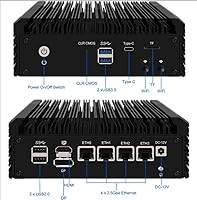
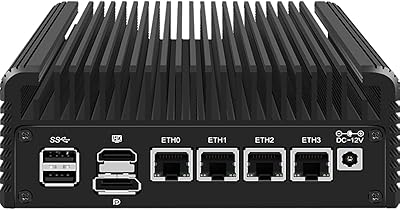
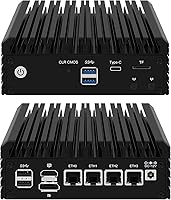
The combination of four network ports, two USB 3.0, two USB 2.0, a TF card slot, and triple 4K display outputs covers the practical needs of firewall and lightweight hypervisor deployments without adding unnecessary bulk. The USB-C display output is a convenient option for users whose monitors lack HDMI or DisplayPort inputs.
With only two USB 3.0 ports, users managing an OS install while simultaneously connecting a keyboard and an installation USB drive may feel the shortage. The USB-C port serves display and data together rather than as a standalone peripheral port, which some users find less versatile than expected.
Setup Experience
58%
42%
For experienced users comfortable with BIOS navigation, OS flashing, and interface assignment, the hardware itself presents no unusual obstacles. The N5105 platform is well-documented across pfSense and OPNsense community forums, and the Intel NICs mean driver troubleshooting is rarely necessary once a current OS build is properly installed.
Buyers without prior firewall OS experience face a steep learning curve that the included documentation does not adequately address. Several reviewers with moderate but not specialist technical backgrounds described the initial setup as significantly more time-consuming than anticipated, particularly around BIOS configuration and OS interface assignment.
Vendor Support
74%
26%
Buyers who contacted the vendor via Amazon messaging generally report responses within one business day — better turnaround than many competing brands in this segment. Requests for BIOS updates are handled through this same channel, which users concerned about firmware maintenance find genuinely practical.
Support is confined to Amazon messaging during business hours, creating real gaps for buyers in different time zones or those needing urgent resolution on weekends. There is no dedicated support portal or community forum from the vendor — a limitation that feels meaningful for a product deployed in critical network infrastructure roles.
Documentation Quality
47%
53%
The vendor does respond to BIOS update requests via direct messaging, which partially compensates for the absence of proactive firmware documentation. The broader N5105 community on Reddit and dedicated homelab forums has produced solid third-party guides that fill many of the official documentation gaps.
The included documentation is objectively thin and does not meaningfully cover setup scenarios for pfSense, OPNsense, or Proxmox. The product listing itself contains spec inconsistencies — DDR4 and DDR5 both appear in different sections — which erodes buyer confidence before the device even arrives and reflects a lack of editorial care from the vendor.
Listing Accuracy
52%
48%
The core hardware specifications — four Intel I226-V NICs, N5105 processor, dual DDR4 SODIMM slots, and barebone configuration — are accurately represented in the primary product description and match what buyers receive. Buyers who cross-referenced community reviews before purchasing generally report no hardware surprises.
Spec inconsistencies across the listing create unnecessary pre-purchase confusion: DDR4 and DDR5 are referenced in different places, some variant descriptions imply included RAM while the base unit is a true barebone, and the display size field appears to reference the 2.5-inch drive bay rather than any screen.
Long-Term Reliability
82%
18%
The fanless aluminum chassis is designed for continuous industrial-grade operation, and users who have deployed this appliance as a dedicated pfSense or OPNsense router report stable, uninterrupted uptime over many months. The absence of moving parts eliminates the most common failure point in always-on network appliances.
Long-term reliability data is still limited by the product's relatively short market history, and verified multi-year runtime reports in the review pool remain modest in number. Buyers deploying this in genuinely critical network roles should plan proactively for the 12-month warranty boundary and what comes after it.

Suitable for:

The MOGINSOK MGCN51N Fanless Firewall Mini PC is purpose-built for technically capable users who want a dedicated, always-on network security appliance without the noise or bulk of traditional hardware. Home lab enthusiasts upgrading from older gigabit-only platforms like the Protectli Vault or APU-based boards will find the move to four Intel I226-V 2.5GbE ports immediately rewarding, particularly if their switch and upstream gear already supports 2.5GbE. Small business owners or IT administrators who need a compact pfSense or OPNsense box handling VLAN segmentation, firewall rules, and WireGuard or OpenVPN tunnels will get reliable performance from the N5105 with AES-NI doing the heavy lifting on encryption overhead. Buyers who already have spare DDR4 SODIMMs and an NVMe drive on hand will stretch the value of this barebone considerably further than the base price suggests. It also suits homelabbers who want a whisper-quiet Proxmox or ESXi node that can run a handful of lightweight VMs without a fan ever spinning up.
Not suitable for:

The MOGINSOK MGCN51N Fanless Firewall Mini PC is not the right choice for anyone expecting an out-of-the-box router experience — there is no pre-installed OS, no web UI waiting at a default gateway address, and no simplified setup wizard to guide you through configuration. If you are not comfortable flashing an OS to a drive, navigating BIOS menus, or at minimum following a pfSense or OPNsense community guide step by step, this purchase will likely end in frustration. The barebone format also means the listed price is only part of the real cost — compatible DDR4 SODIMM RAM and an NVMe or SATA SSD need to be budgeted separately. Users chasing true 2.5GbE throughput should also understand that this appliance is only one link in the chain; your managed switch, patch cables, and ISP modem all need 2.5GbE support too, or those ports deliver no practical advantage over standard gigabit. Those planning to run heavy IDS or IPS inspection workloads at multi-gigabit line rates simultaneously may find the N5105 starts hitting its limits under sustained load.
Specifications

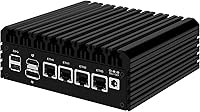
  • Processor: Intel Celeron N5105 quad-core runs at 2.0GHz base with a 2.9GHz burst frequency, 4MB cache, and integrated Intel UHD Graphics on the Jasper Lake architecture.
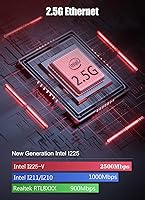
  • Network Ports: Four Intel I226-V NICs each deliver up to 2.5GbE throughput, enabling dedicated WAN, LAN, DMZ, and VLAN interface assignments for network segmentation.
  • RAM Support: Two DDR4 SODIMM slots support up to 32GB total of non-ECC RAM at speeds from 2400MHz to 3200MHz; no RAM is included in the barebone configuration.
  • Primary Storage: One M.2 2280 NVMe slot operates at PCIe 3.0 x1 bandwidth for the primary OS drive; no SSD is included.
  • Secondary Storage: One 2.5-inch SATA bay accommodates an SSD or HDD up to 9mm in height for secondary or supplemental storage needs.
  • Wireless Slot: One M.2 2230 slot supports WiFi 6 cards or, via an optional PCB adapter board not included in the box, a second M.2 NVMe SSD.
  • Display Outputs: One HDMI 2.0 port, one DisplayPort 1.4, and one USB-C (data and display) support up to three simultaneous 4K displays at 60Hz.
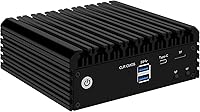
  • USB and I/O: Two USB 3.0 ports, two USB 2.0 ports, and one TF card slot are provided for peripheral connectivity and removable storage access.
  • Cooling Method: Fully passive fanless design routes heat through the aluminum chassis acting as a heat sink, rated for continuous 24/7 operation without any active cooling components.
  • Power Input: The unit accepts DC 12V to 19V input, and a 12V 3A power adapter with power cord is included in the box.
  • Dimensions: Physical dimensions measure 155 x 135.6 x 52.5mm, equivalent to approximately 6.1 x 5.3 x 2.1 inches.
  • Weight: The barebone unit weighs approximately 1.76 pounds without RAM, storage drives, or any other user-installed components.
  • OS Compatibility: Verified compatible operating systems include pfSense CE and Plus, OPNsense, OpenWrt, Proxmox, ESXi, ROS7, and CentOS, among other Linux-based platforms.
  • Encryption: AES-NI hardware acceleration is supported at the CPU level, enabling efficient encryption processing for WireGuard and OpenVPN tunnels without significant performance penalty.
  • Advanced Features: Onboard support includes a Watchdog timer, Wake-on-LAN, PXE network boot, RTC scheduling, and automatic power-on after power restoration.
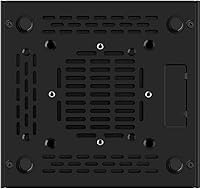
  • VESA Mount: The chassis is dimensioned for VESA bracket compatibility, allowing behind-monitor mounting; the VESA mount hardware itself is not included.
  • Package Contents: The box includes the barebone mini PC unit, one power adapter, one power cord, one SATA cable, and a screws bag.
  • Warranty: A 12-month manufacturer warranty is provided, with vendor support reachable via Amazon direct messaging during business hours for hardware issues and BIOS update requests.

Related Reviews

CWWK N100 4-Port Firewall Mini PC
76%
92%
NIC Performance
89%
OS Compatibility
86%
Value for Money
74%
Thermal Management
83%
Build Quality
More
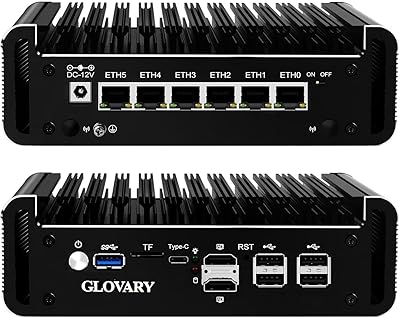
Glovary N150 6L Firewall Mini PC
80%
93%
NIC Performance
88%
Build Quality
71%
Thermal Management
86%
VPN Throughput
82%
Value for Money
More
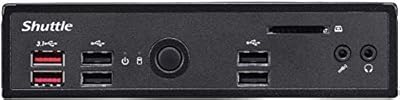
Shuttle DS10U5 Fanless Mini Barebone PC
80%
91%
Build Quality
83%
Fanless Passive Cooling
88%
Display Output Versatility
93%
Memory Expandability
89%
Connectivity & Port Selection
More
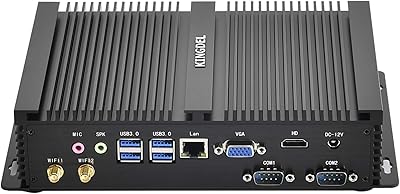
KINGDEL NC3000 Fanless Mini PC
75%
88%
Build Quality
83%
Fanless Cooling
74%
Processing Performance
91%
Port Selection
72%
Value for Money
More
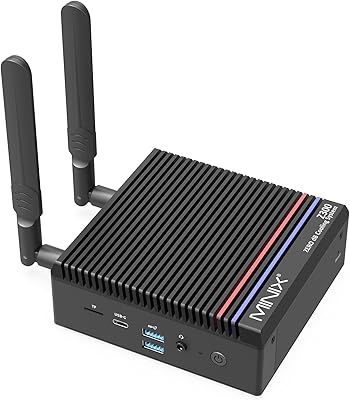
MINIX NEO Z300-0dB 512GB Mini PC
83%
97%
Noise Level
71%
Thermal Management
78%
Everyday Performance
84%
Build Quality
88%
Connectivity & Ports
More
Beelink Mini S12 Pro (N100, 16GB, 500GB)
83%
83%
Everyday Performance
91%
Value for Money
76%
Build Quality & Design
84%
Thermal Management & Noise
88%
Connectivity & Ports
More
Beelink Mini S12 Mini PC
78%
88%
Value for Money
82%
Performance for Daily Tasks
79%
Build Quality & Design
91%
Dual Monitor Support
84%
Thermal Management & Noise
More
ACEMAGICIAN Kron Mini K1 Mini PC
73%
83%
Everyday Performance
54%
Gaming Capability
61%
Thermal Management
89%
Display & Connectivity
78%
Value for Money
More
Beelink ME Mini PC
Beelink ME Mini PC
87%
88%
Performance
91%
Connectivity
85%
Storage Expansion
95%
Power Efficiency
90%
Noise Levels
More
FUNYET STARSHIP N95 512GB Mini PC
74%
83%
Value for Money
72%
Performance
58%
Storage Speed
91%
Port Selection
88%
Display Output
More

FAQ

The MOGINSOK MGCN51N Fanless Firewall Mini PC ships as a true barebone — no RAM and no storage drive are included. You will need to source your own DDR4 SODIMM RAM and at least one drive, either an M.2 NVMe or a 2.5-inch SATA SSD. For pfSense or OPNsense, 8GB of RAM and a modest NVMe drive is a perfectly practical starting point.
It takes standard DDR4 SODIMM non-ECC RAM — the same type used in most laptops — at speeds between 2400MHz and 3200MHz. A single 8GB stick covers firewall-only deployments comfortably. If you plan to run Proxmox alongside a few lightweight virtual machines, 16GB gives you useful breathing room without going overboard.

Yes, the Intel I226-V NICs are natively recognized by both pfSense and OPNsense without any manual driver work. This is one of the key reasons Intel NICs are consistently preferred over Realtek alternatives in firewall OS communities — they just work. Make sure you are running a reasonably current release of your chosen OS to avoid any edge-case compatibility gaps.

Under typical firewall workloads the chassis gets warm to the touch, but that is expected and by design — the aluminum body is the cooling system. The real risk is poor placement: an enclosed cabinet or a unit buried under other hardware without airflow will push temperatures high enough to throttle performance over time. Keep a few inches of open space around it and continuous operation is not a problem.

The ports are genuinely capable of 2.5GbE, but you will only see those speeds if every device in the chain supports it — your switch, your Ethernet cables (Cat5e at minimum, Cat6 recommended), and the device at the other end all need to match. If any link in that path is limited to gigabit, that is the speed you will get. When the full infrastructure supports 2.5GbE, real-world throughput matches expectations.

Absolutely — this quad-port mini PC runs Proxmox and ESXi without significant friction, and the N5105 handles lightweight VM workloads like DNS resolvers, home automation servers, or small containers well. The fanless design and low idle power draw make it a practical always-on node. Just be realistic: it is not built for running several CPU-heavy virtual machines simultaneously.

That slot primarily exists for a WiFi card, and it does support WiFi 6 modules if wireless connectivity matters to your setup. It can also be repurposed as a second NVMe storage slot using a small PCB adapter board — though that adapter is not included and needs to be sourced separately. Most firewall deployments will ignore this slot entirely, but it is a useful hardware flexibility option for edge cases.

You will need a display for the initial OS installation and any BIOS adjustments — HDMI is the simplest connection for that. Once the OS is installed and the network interfaces are configured, pfSense and OPNsense are managed entirely through a browser on another machine, so the monitor becomes unnecessary. The three display outputs give you options during setup, but day-to-day operation is fully headless.

This fanless firewall appliance assumes a baseline of technical confidence — you will install the OS yourself, assign network interfaces, and rely on community documentation rather than a guided setup wizard. The pfSense and OPNsense communities are genuinely excellent resources, and there are detailed guides written for N5105-based hardware specifically. If you are comfortable with basic networking concepts and have installed an OS before, the process is manageable with patience.

The MGCN51N barebone carries a 12-month manufacturer warranty covering hardware defects, with support handled through Amazon direct messaging. The vendor has a noted track record of responding within a business day and will also send BIOS updates on request via that same channel. If you hit a hardware issue, Amazon messaging is the documented path — keep your order information handy when you reach out.