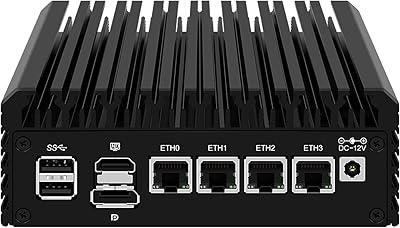
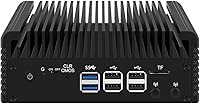
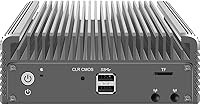
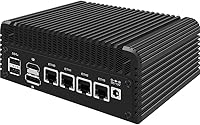
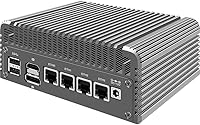

Overview

The CWWK N100 4-Port Firewall Mini PC is a compact x86 appliance built squarely around network routing and firewall duties, not general desktop use. Powered by Intel's N100 processor — a capable Alder Lake-N chip with AES-NI encryption built in — it handles VPN tunnels and deep packet inspection without issue. One thing buyers must know upfront: this ships completely barebones, meaning no RAM and no storage are included. You will need to source a DDR5 SO-DIMM stick and an NVMe drive separately before it boots anything. It supports OPNsense, pfSense, OpenWrt, Proxmox, and even Windows, making it flexible for a range of home lab and small-office scenarios.

Features & Benefits

The standout hardware on the N100 appliance is its four Intel i226-V ports, each running at a full 2.5 gigabits per second — the same NIC chipset found in much pricier Protectli units, handling VLANs, multi-WAN failover, and traffic shaping without complaint. It runs completely fanless, relying on dual copper heat pipes and an aluminum chassis to dissipate heat passively. Under typical routing workloads it stays impressively quiet, though in warm environments or under sustained heavy load, some minor throttling is possible. Memory tops out at 32GB DDR5, the M.2 x4 NVMe slot covers primary storage, and an optional M.2 Key E slot lets you add WiFi 6 if your setup calls for it.

Best For

This network router box makes the most sense for home lab users wanting to run OPNsense or pfSense on modern N-series hardware without paying the Protectli or Netgate premium. If your shelf already has a spare DDR5 stick and NVMe drive, the barebones format works in your favor — you are not paying for components you do not need. It suits small offices needing a quiet, always-on gateway just as well, and homelabbers curious about lightweight Proxmox or TrueNAS experiments will find it capable enough. What it is not is a daily-driver desktop — the four USB 2.0 ports and appliance-first design make that clear from the start.

User Feedback

Community reception for this firewall mini PC has been largely positive, with most buyers praising how smoothly OPNsense installs — the i226-V NICs are well-supported and require no manual driver work. Build quality gets consistent compliments; the aluminum shell feels solid rather than cheap for the price tier. The most common frustration comes from first-time firewall builders who did not realize the unit ships without RAM or storage. Some users have flagged occasional BIOS quirks around wake-on-LAN and PXE boot that needed configuration tweaking. Thermal performance under light loads is well-regarded, though buyers in warmer climates noted minor performance dips during sustained high-throughput sessions.

Pros

  • Four Intel i226-V NICs deliver genuine 2.5GbE performance — a chipset trusted far beyond this price tier.
  • OPNsense and pfSense install cleanly with no manual driver work needed for the network interfaces.
  • Fully fanless passive cooling keeps the N100 appliance completely silent under everyday routing workloads.
  • AES-NI hardware acceleration means VPN throughput stays strong without hammering the CPU.
  • The aluminum chassis feels surprisingly solid and dense for a mini appliance at this price.
  • DDR5 memory support gives the platform meaningful headroom compared to older DDR4 firewall boxes.
  • A TF card slot lets you boot the OS from a separate card, keeping your NVMe free for storage or logs.
  • Optional M.2 Key E slot means you can add WiFi 6 later if your setup evolves.
  • Compact footprint — roughly the size of a thick paperback — fits cleanly into a home lab shelf or closet.
  • BIOS supports PXE boot and auto power-on, which matters for unattended or headless deployments.

Cons

  • Ships with no RAM and no SSD — factor in the cost of both before comparing price to bundled alternatives.
  • Only four USB 2.0 ports, which is limiting if you ever need peripherals beyond a keyboard and flash drive.
  • BIOS wake-on-LAN and PXE settings have required manual tweaking for a notable share of buyers.
  • Passive cooling can throttle under sustained high-throughput loads in warm or unventilated spaces.
  • No included operating system — first-time firewall users face a real learning curve before anything works.
  • Port labeling has been criticized by some buyers as small and hard to read without good lighting.
  • The barebones format adds procurement friction; sourcing compatible DDR5 SO-DIMM modules requires attention to spec.
  • Community BIOS updates and vendor support responses can be slow compared to established firewall vendors.

Ratings

Our AI rating system analyzed verified global buyer reviews for the CWWK N100 4-Port Firewall Mini PC, actively filtering out incentivized submissions and bot activity to surface what real users actually experience. Scores reflect both the genuine strengths that keep enthusiasts recommending this appliance and the friction points that have frustrated first-time buyers. Nothing is glossed over — the numbers below tell the full story.

NIC Performance
92%
The four Intel i226-V controllers are the single most praised aspect of this appliance across the entire user base. Reviewers running multi-gigabit OPNsense setups with IDS, VPN tunnels, and heavy VLAN traffic consistently report stable, lossless throughput that holds up over weeks of continuous operation.
A small number of users on very specific kernel versions reported early i226-V link instability that required a driver update to resolve. This is a known upstream Linux issue rather than a hardware defect, but it caught a few buyers off guard during initial deployment.
OS Compatibility
89%
Out-of-the-box compatibility with OPNsense and pfSense is genuinely impressive — most buyers report that all four NICs are recognized immediately with no manual driver intervention required. Community reports for Proxmox, Ubuntu, and OpenWrt are equally positive, making this one of the more versatile barebones platforms in its class.
ESXi compatibility has some caveats, with a handful of users needing to load custom NIC drivers manually for the i226-V ports to appear correctly. Windows support works but is clearly an afterthought given the appliance-first hardware design and limited USB port count.
Value for Money
86%
When you factor in the Intel i226-V NICs, DDR5 support, and N100 processor together, the price-per-feature ratio is hard to match among direct competitors like the Topton N6005 or entry-level Protectli Vault units. Buyers who already own a compatible DDR5 stick and NVMe drive walk away feeling they got a genuinely strong deal.
The barebones nature means the true cost of entry is noticeably higher than the listed price once you add RAM and storage. Buyers who did not budget for those additions — sometimes an extra 40 to 80 dollars depending on capacity — expressed frustration that the total landed cost was not clearer upfront.
Thermal Management
74%
26%
For its intended use case — a 24/7 network firewall in a reasonably ventilated space — the passive aluminum chassis and dual copper heat pipes handle the job quietly and reliably. Users running light-to-moderate OPNsense or pfSense workloads consistently report that the unit stays barely warm to the touch even after days of continuous uptime.
Buyers in warmer climates or enclosed network cabinets have noted occasional thermal throttling under sustained high-throughput workloads, which is an honest limitation of passive-only cooling. A few users resolved this by positioning the unit vertically or ensuring airflow around the chassis, but it does require some environmental planning.
Build Quality
83%
The aluminum shell makes a strong first impression — it feels noticeably denser and more rigid than competing plastic-chassis appliances at this price tier. Several reviewers specifically mentioned that the unit feels built to last, not like a disposable white-box device from an unknown vendor.
Port labeling on the rear panel is small and difficult to read without good lighting, which a surprising number of buyers flagged as a genuine usability annoyance during initial cabling. A couple of users also noted minor fit inconsistencies with the M.2 slot covers, though nothing that affected functionality.
Setup Experience
61%
39%
For experienced home lab users and network engineers, initial setup is straightforward — install RAM, seat the NVMe, boot from USB, and the OS installer takes over cleanly. The BIOS is feature-rich with PXE, GPIO, and auto power-on options that knowledgeable buyers find genuinely useful for headless and rack deployments.
First-time firewall builders consistently struggled with the barebones format, BIOS navigation, and the absence of any setup documentation in the box. The learning curve for someone who has never installed a firewall OS from scratch is steep, and several negative reviews trace back entirely to setup confusion rather than hardware defects.
BIOS Functionality
68%
32%
The AMI EFI BIOS covers the features that matter for a network appliance: PXE boot, auto power-on after power loss, GPIO support, and granular boot-order control. Advanced users building unattended or remotely managed deployments appreciated these options being present and accessible.
Wake-on-LAN behavior required manual BIOS configuration for a notable share of buyers rather than working by default, and PXE boot needed careful ordering adjustments in some configurations. BIOS update tooling from CWWK is less polished than what you get from established vendors, which adds friction for users wanting to stay current.
Noise Level
96%
Completely silent operation is one of the most consistently celebrated aspects of this network router box — there are no fans, no coil whine reports, and no mechanical noise of any kind. Users who deployed it in living rooms, home offices, or bedroom lab setups praised the total absence of audible output.
The only acoustic caveat is theoretical rather than reported: if a user adds an active fan via the internal 4-pin headers in a warm environment, that silence is broken. In the default fanless configuration, there is essentially nothing to complain about here.
Expansion Flexibility
77%
23%
The combination of an M.2 NVMe x4 slot, M.2 Key E WiFi slot, TF card boot support, and internal fan and serial pin headers gives this appliance meaningful expandability for its size class. Homelabbers who wanted to add WiFi 6, a second storage device via adapter board, or serial console access found the options genuinely useful.
The expansion story has limits — there is only one SO-DIMM slot, so memory is capped at a single 32GB stick with no dual-channel option, and the four external USB 2.0 ports feel restrictive for anyone needing to attach multiple peripherals simultaneously during setup or maintenance.
Power Efficiency
88%
The N100 chip's 6W TDP translates into real-world idle power draw that multiple users measured in the 8 to 12 watt range under typical firewall workloads — a meaningful advantage for an always-on appliance running year-round. Buyers replacing older Atom or Sandy Bridge-era firewall hardware reported noticeable reductions in their electricity consumption.
Under full sustained load the draw climbs higher, though it remains well within the range of a small external power supply. There are no official published power consumption figures from CWWK, which left some energy-conscious buyers having to measure it themselves.
Connectivity Options
71%
29%
Four 2.5GbE ports cover virtually every practical home and small-office routing scenario, from WAN failover to dedicated DMZ and IoT network segments. The inclusion of both HDMI 2.1 and DisplayPort 1.4 for dual 4K output is a welcome bonus for users who occasionally need a display during configuration.
The external USB situation — four USB 2.0 ports only — is a meaningful constraint that limits peripheral flexibility during initial setup and ongoing maintenance. There is no USB 3.0 or USB-C port on the exterior, which feels like an area where a modern appliance chassis should have done better.
Vendor Support
54%
46%
CWWK does respond to customer service inquiries and has been known to assist with basic configuration questions and BIOS-related concerns. The vendor also offers custom panel laser engraving, which signals at least some investment in customer-facing options beyond bare hardware sales.
Response times and support depth fall well short of what Protectli or Netgate offer, and the community has largely filled the gap through Reddit, the OPNsense forums, and Serve the Home discussions. Buyers who expect hands-on vendor support for OS installation or advanced networking configuration will likely be disappointed.
Documentation
43%
57%
The hardware specifications listed in product materials are reasonably thorough, covering pin headers, BIOS features, and slot compatibility in more detail than many competing Chinese OEM appliances provide at this price level.
What passes for a user manual is minimal and mostly consists of a spec sheet — there are no setup guides, OS installation walkthroughs, or BIOS configuration references included in the box. Buyers who are not already comfortable with home lab hardware will find the lack of documentation a real barrier to getting started.

Suitable for:

The CWWK N100 4-Port Firewall Mini PC is a strong match for home lab enthusiasts who want to run OPNsense or pfSense on capable, modern hardware without spending Protectli or Netgate money. If you already have a spare DDR5 SO-DIMM stick and an NVMe drive sitting around, the barebones format is genuinely cost-efficient rather than a compromise. Small office operators who need a quiet, always-on network gateway will appreciate the completely silent fanless design — it can live in a closet or on a desk without anyone noticing it is running. Homelabbers experimenting with Proxmox, lightweight virtualization, or even a TrueNAS setup will find the N100 platform punches well above its size. The four Intel i226-V 2.5GbE ports are the real draw here: they bring enterprise-grade NIC reliability to a price point that used to mean settling for Realtek chips.

Not suitable for:

Anyone expecting a plug-and-play experience should look elsewhere — the CWWK N100 4-Port Firewall Mini PC ships with no RAM and no storage, meaning you cannot power it on and do anything useful without first sourcing and installing those components yourself. Buyers who have never flashed a firewall OS, configured a BIOS, or troubleshot a network interface will likely find the setup curve steeper than expected, and the BIOS has some quirks around PXE boot and wake-on-LAN that require patience to sort out. This is also not a desktop replacement: four USB 2.0 ports is a real constraint if you need peripheral flexibility, and the appliance-first design makes that obvious quickly. Users in consistently warm or poorly ventilated environments should be cautious — the passive cooling handles typical routing workloads well, but sustained heavy throughput in a hot rack can produce throttling. If you want a ready-to-run firewall with warranty-backed support and zero configuration friction, a pre-built Netgate appliance is a more appropriate fit.

Specifications

  • Processor: Intel N100 (Alder Lake-N), a 4-core chip running up to 3.4GHz with a low 6W TDP suited for always-on appliance use.
  • RAM Slot: One SO-DIMM DDR5 slot supporting 4800MHz modules, compatible with 5200MHz and 5600MHz sticks, expandable up to 32GB.
  • RAM Included: No RAM is included; buyers must source and install a compatible DDR5 SO-DIMM module before the unit will boot.
  • Primary Storage: One M.2 NVMe x4 slot for the main drive; adapter boards can expand this to support multiple M.2 NVMe or mSATA drives.
  • Storage Included: No SSD or storage drive is included in the box; this is a strictly barebones unit.
  • LAN Ports: Four Intel i226-V network controllers each delivering full 2.5GbE throughput, suitable for multi-WAN, VLAN, and advanced routing configurations.
  • WiFi Slot: One M.2 Key E slot accepts optional WiFi 6 and Bluetooth modules, which are not included by default.
  • Display Output: HDMI 2.1 and DisplayPort 1.4 outputs support dual 4K displays at up to 4096x2160 at 60Hz via integrated Intel UHD Graphics.
  • USB Ports: Four USB 2.0 ports are available externally; internal pin headers add one additional USB header for expansion.
  • Cooling: Fully passive fanless design using dual copper heat pipes transferring heat to an aluminum outer chassis with no moving parts.
  • Power Input: DC 12V via a 5.5x2.5mm barrel connector; a compatible power supply is included in the box.
  • BIOS: AMI EFI BIOS with support for PXE network boot, GPIO control, and automatic power-on after power restoration.
  • TF Card Slot: A TF (microSD) card slot is built in and can be used for OS boot or supplemental data storage.
  • Encryption: AES-NI hardware encryption acceleration is enabled, allowing the CPU to offload VPN and encrypted tunnel workloads efficiently.
  • Supported OS: Officially compatible with OPNsense, pfSense, OpenWrt, ESXi, Proxmox, Ubuntu, and Windows, with community-confirmed driver support for all four NICs.
  • Dimensions: The unit measures 145.6mm long by 145.4mm wide by 53.6mm tall, roughly the footprint of a thick paperback book.
  • Weight: Approximately 3.69 pounds (around 1.67kg) including the aluminum chassis, which reflects solid build density for its size.
  • Fan Headers: Two internal 4-pin temperature-controlled fan headers are available if a buyer opts to add active cooling for demanding environments.
  • Serial Header: One internal serial (COM) pin header is available for console access, useful during headless firewall OS installation and debugging.
  • Operating Temperature: The unit is rated to operate between 0°C and 70°C with relative humidity between 5% and 85%, non-condensing.

Related Reviews
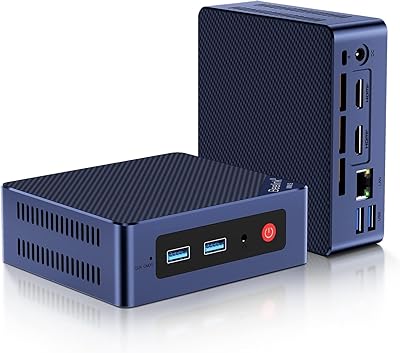
Beelink Mini S12 Pro (N100, 16GB, 500GB)
83%
83%
Everyday Performance
91%
Value for Money
76%
Build Quality & Design
84%
Thermal Management & Noise
88%
Connectivity & Ports
More
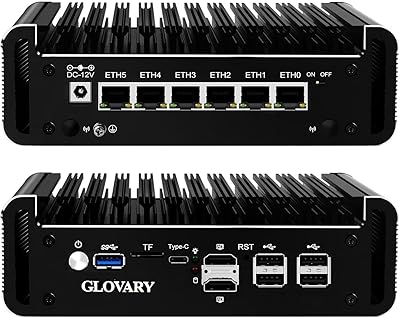
Glovary N150 6L Firewall Mini PC
80%
93%
NIC Performance
88%
Build Quality
71%
Thermal Management
86%
VPN Throughput
82%
Value for Money
More
MOGINSOK MGCN51N Fanless Firewall Mini PC

78%
93%
NIC Performance & Compatibility
91%
OS Compatibility
86%
VPN & Encryption
81%
Thermal Management
79%
Value for Money
More
Mercedes-Benz Giftset Mini Men's Cologne Set - 4 Pc

86%
87%
Scent Variety
94%
Portability & Travel-Friendly
84%
Longevity of Fragrance
62%
Suitability for Casual Wear
90%
Packaging Quality
More
Carolina Herrera Good Girl Perfume Mini Splash Set 4 Pc
85%
94%
Fragrance Variety
82%
Scent Longevity
90%
Packaging & Presentation
88%
Travel-Friendliness
91%
Giftability
More
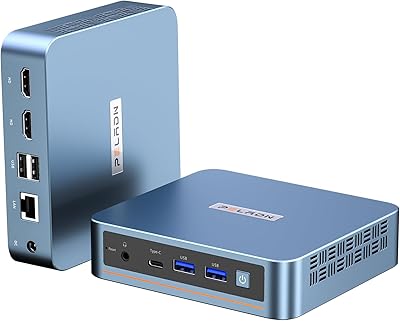
PELADN WI-6 Mini PC (N100, 16GB DDR4, 512GB SSD)
79%
88%
Value for Money
83%
Performance for Daily Tasks
91%
Triple-Display Support
74%
Build Quality & Design
71%
Setup & Out-of-Box Experience
More
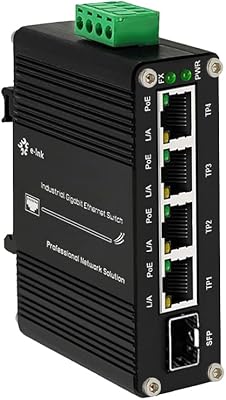
Steloproad Mini Industrial 4-Port Gigabit Ethernet POE+ Switch with SFP
87%
89%
Performance
93%
Build Quality/Durability
85%
Ease of Installation
90%
POE+ Support
92%
Environmental Suitability
More
HEIGAOLAPC Mini PC 12th Gen N100 16GB RAM 256GB Storage
85%
88%
Performance
92%
Value for Money
90%
Portability
87%
Connectivity
93%
Setup and Installation
More
MeLE PCG02 Mini PC Stick, Celeron N100, 8GB RAM, 128GB Storage
82%
94%
Portability & Size
85%
Performance for Everyday Tasks
72%
Thermal Management
88%
Wi-Fi Connectivity
90%
Ease of Setup
More
CyberGeek Nano A1 Ubuntu Linux Mini PC, Intel 12th Gen N100, 16GB RAM, 512GB SSD
85%
88%
Performance
90%
Connectivity
85%
Build Quality
84%
Usability
76%
Software/OS Experience
More

FAQ

It ships completely barebones — no RAM and no SSD are included. You will need to buy a DDR5 SO-DIMM stick and an M.2 NVMe drive separately before the unit can do anything. Make sure your DDR5 module is a standard SO-DIMM form factor rated at 4800MHz or higher.

For most buyers, yes. The four Intel i226-V NICs are well-supported in both OPNsense and pfSense out of the box, and the community widely reports clean installs with all ports recognized immediately. Just make sure you are running a recent release of either OS to get the latest i226-V driver support.

Under typical home or small-office firewall workloads it stays cool and completely silent. The passive aluminum chassis handles moderate loads well. If you push sustained high-bandwidth throughput in a warm or enclosed space, some minor thermal throttling is possible, so good ambient airflow around the unit helps.

There is an M.2 Key E slot specifically for an optional WiFi 6 and Bluetooth module, but that module is not included. If you want wireless capability you will need to buy a compatible card separately and install it yourself.

You need a single SO-DIMM DDR5 stick. The slot is rated for 4800MHz but is compatible with 5200MHz and 5600MHz modules as well. Capacity can go up to 32GB in a single stick. Standard consumer-grade laptop DDR5 SO-DIMMs from brands like Crucial or Kingston work fine.

It is genuinely passive — there are no fans in the default configuration and no fan-related noise at any point. The heat is moved through dual copper heat pipes into the aluminum shell. There are internal 4-pin fan headers if you ever want to add active cooling, but most buyers never need them.

Yes, and a fair number of homelabbers do exactly that. Proxmox installs cleanly, and the N100 has enough headroom for a few lightweight VMs or containers. TrueNAS Scale works too, though the USB 2.0-only external ports limit how you attach peripherals during setup.

Yes, standard USB boot works fine. You can also boot from the built-in TF (microSD) card slot if you prefer to run the OS from a card and keep your NVMe purely for storage or logs. Just set the boot priority in the BIOS before you start.

A handful of buyers have reported that wake-on-LAN and PXE boot need manual configuration in the BIOS rather than working automatically out of the box. It is not a dealbreaker, but if those features matter to your setup, plan to spend some time in the BIOS settings during initial configuration.

The main advantages here are the newer N100 processor, DDR5 memory support, and the i226-V NICs — which are the same quality chipset Protectli uses. The trade-off is that Protectli sells pre-built units with RAM and storage included and offers more direct customer support. This network router box is a better value if you are comfortable sourcing your own components and do not mind a bit of initial configuration work.