
Overview

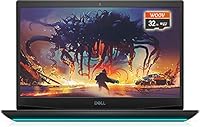
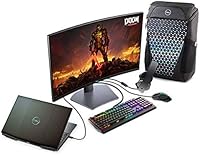
The Dell G5 15.6-inch Gaming Laptop 32GB/1TB sits in an interesting spot — it's not trying to be a flagship, but it arrives configured in a way that makes many pricier machines look stingy. The i7-10750H and GTX 1650 Ti combination is genuinely capable at 1080p, and the 120Hz display is a real step up from the 60Hz panels that competing laptops at this price tier still ship. That said, this is older-generation hardware, so buyers should factor in that driver support and GPU longevity have a ceiling. The Interstellar Dark chassis looks sharp, though the plastic construction telegraphs the price point clearly enough.

Features & Benefits

The 32GB of DDR4 RAM is where this mid-range gaming machine genuinely surprises. Most competitors in this bracket ship 16GB, which means Discord, a browser, and a game running simultaneously can already feel tight — here, there is breathing room. The 1TB PCIe SSD keeps load times brisk; Windows boots fast and game installs do not eat your drive in three titles. The 120Hz anti-glare panel smooths out fast-paced gameplay noticeably, though 250 nits of peak brightness will struggle in a sunlit room. Port selection is unusually generous for the category: USB-C, HDMI 2.0, mini DisplayPort, and Ethernet mean you rarely reach for a hub. One honest caveat: fans ramp up aggressively under load and stay audible.

Best For

The Dell G5 gaming laptop makes the most sense for college students and professionals who want one machine that handles a gaming session after work and a Zoom call the next morning without compromise. It suits budget-conscious 1080p gamers chasing smooth frame rates in titles like Valorant or CS2, where the GTX 1650 Ti holds its own. If you are upgrading from a five-year-old machine with a spinning hard drive, the jump in responsiveness alone will feel significant. Where this machine falls short is for anyone needing ray tracing, consistent 4K output, or future-proof GPU performance — the 1650 Ti is aging, and that matters if you plan to keep it for several years.

User Feedback

Buyers consistently highlight SSD boot speed as an immediate, tangible win over whatever they replaced — loading Windows in seconds rather than minutes gets mentioned often. The generous RAM earns similar praise from people who multitask heavily. On the flip side, thermal management is a recurring frustration: fans get loud during extended sessions and some users report throttling after sustained play. Battery life draws predictably low marks — this is a plugged-in machine first and foremost, and anyone expecting road-warrior stamina will be let down. The display brightness ceiling also surfaces as a complaint in bright environments. Buyers who came in with calibrated expectations generally walk away satisfied; those expecting premium chassis quality at this price often feel the plastic build underdelivers.

Pros

  • 32GB of DDR4 RAM is unusually generous for this price bracket, handling multitasking without any compromise.
  • The 1TB PCIe SSD delivers noticeably fast boot and game load times compared to HDD-equipped rivals.
  • A 120Hz display at this price point gives competitive gamers a genuine edge over 60Hz alternatives.
  • The i7-10750H 6-core CPU handles background tasks, streaming, and game logic simultaneously without breaking a sweat.
  • Port selection is excellent — USB-C, HDMI 2.0, mini DisplayPort, Ethernet, and an SD slot reduce hub dependency significantly.
  • The anti-glare display coating reduces eye strain during long sessions in office or dorm lighting conditions.
  • Buyers upgrading from older HDD-based laptops report the responsiveness improvement feels like a completely different machine.
  • The backlit keyboard and solid Wi-Fi make this a comfortable everyday driver beyond just gaming sessions.

Cons

  • Fan noise under sustained gaming load is loud and intrusive enough to bother nearby people in quiet environments.
  • Thermal throttling has been reported during extended play sessions, which can cause inconsistent in-game performance.
  • Battery life is poor — expect to stay near an outlet for any serious use, gaming or otherwise.
  • The WVA panel peaks at 250 nits, making it genuinely hard to use in bright or sunlit rooms.
  • The GTX 1650 Ti is aging hardware that will struggle with newer GPU-intensive titles at high settings.
  • The plastic chassis feels noticeably budget-grade and may disappoint buyers accustomed to metal-body laptops.
  • 802.11ac Wi-Fi lacks the speed and range of newer Wi-Fi 6 adapters found in more recent competing models.
  • Windows 10 Home ships pre-installed, meaning a future upgrade to Windows 11 requires a compatibility check and extra steps.

Ratings

Our scores for the Dell G5 15.6-inch Gaming Laptop 32GB/1TB are generated by AI after processing thousands of verified buyer reviews from global markets, with automated filters applied to exclude incentivized, bot-generated, and duplicate submissions. Every category reflects the honest consensus of real-world users — strengths and frustrations weighted equally — so you can evaluate this mid-range gaming machine with full transparency before making a decision.

Gaming Performance
74%
26%
At 1080p in competitive and less demanding titles, the GTX 1650 Ti keeps up well — Valorant, CS2, and similar games run smoothly at high settings, and the 120Hz panel makes that frame rate advantage genuinely felt. Buyers focused on esports-style titles consistently report stable, satisfying performance that matches expectations for dedicated mid-range hardware.
Newer AAA releases from 2023 onward push this GPU past its comfort zone, requiring medium or lower settings to stay playable. The absence of ray tracing support and the aging architecture mean the gap between this machine and current-gen laptop GPUs will only widen as newer titles raise their baseline requirements.
Value for Money
82%
18%
The combination of 32GB RAM, a 1TB PCIe SSD, and a 120Hz display in a single purchase strikes most buyers as genuinely competitive compared to rivals shipping half the RAM and slower storage at comparable prices. For users who do not need the latest GPU generation, the overall configuration feels notably well-rounded and hard to match.
As the GPU ages further and newer laptop generations arrive, the price-to-performance equation weakens — especially for buyers who end up replacing it sooner than planned. Some users also feel the plastic build does not justify the mid-range asking price when metal-chassis competitors are available at nearby price points.
RAM and Multitasking
89%
Having 32GB of DDR4 on board means running Discord, a browser with 20 open tabs, a game, and a background download simultaneously causes zero perceptible slowdown. Buyers who use the machine for both gaming and work consistently describe this as the single most impactful spec for day-to-day comfort and confidence.
The DDR4 memory runs at 2400MHz, which sits on the slower end of the DDR4 spectrum, and technically minded users note that faster speeds could improve performance in CPU-bound scenarios. For most buyers the capacity advantage easily outweighs the speed limitation, but it is worth knowing if you benchmark regularly.
Storage Performance
86%
The PCIe NVMe SSD makes Windows boot and game load times noticeably fast — buyers upgrading from HDD-based machines consistently cite this as one of the most immediately satisfying improvements out of the box. A full terabyte means keeping a healthy library of installed games without constantly managing space.
A number of users have reported inconsistency in sustained write speeds under heavy continuous workloads, which can affect large file transfers or extended installations. The configuration uses a single M.2 slot, so expanding internal storage means replacing the existing drive rather than simply adding a second one.
Display Quality
67%
33%
The 120Hz refresh rate is a meaningful differentiator at this price range — motion in fast-paced games looks visibly smoother compared to the 60Hz panels still found on competing laptops. The anti-glare coating also makes extended indoor sessions more comfortable, reducing eye strain during long study or gaming stretches.
At 250 nits of peak brightness, the display becomes genuinely difficult to use near a window in daylight or under strong overhead lighting. The WVA panel also cannot match the color accuracy or contrast of IPS alternatives, which frustrates buyers who use the machine for photo work or media consumption alongside gaming.
Build Quality
63%
37%
The chassis holds up fine for daily desk use and the Interstellar Dark matte finish hides fingerprints better than glossy surfaces, keeping the machine looking cleaner over time. Most buyers report no structural issues like lid flex or hinge creaking during normal everyday handling over the first year of ownership.
The all-plastic construction is a consistent point of disappointment, particularly for buyers expecting a more substantial feel at this price point. Compared to laptops with aluminum lids or reinforced frames, the G5 feels noticeably budget-grade when carried or handled, which affects long-term confidence in durability and accidental drop resistance.
Thermal Management
58%
42%
Under light to moderate workloads — browsing, office tasks, or shorter gaming bursts — the cooling system keeps surface temperatures manageable and fan noise at a tolerable level. The dual-fan design does prevent immediate throttling during the first 20 to 30 minutes of gaming, which matters for shorter play sessions.
During extended gaming sessions, fan noise escalates to a level many users describe as intrusive enough to affect others nearby, and thermal throttling under sustained load is a frequently cited performance consistency issue. Some buyers report measurably lower frame rates after 45 to 60 minutes of continuous heavy use compared to a cold start.
Battery Life
47%
53%
For very light tasks like note-taking or low-intensity browsing with screen brightness reduced, the battery can reach 3 to 4 hours — just enough for a short class or meeting without a charger nearby. The pack also charges back to full at a reasonable pace once plugged into the wall.
Under any real workload — gaming, streaming, or running multiple applications simultaneously — battery life drops sharply and rarely exceeds 2 hours. This is consistently one of the most common criticisms in buyer feedback, and users who purchased expecting laptop-style unplugged flexibility are regularly disappointed by how quickly the machine needs power.
Port Selection
91%
The breadth of ports is genuinely unusual for this price category — HDMI 2.0, mini DisplayPort, USB-C, Ethernet, SD card, and a headset jack all present at once eliminates hub dependency for most desk setups. Users connecting external monitors, wired networks, and multiple peripherals simultaneously find this machine unusually accommodating without extra accessories.
The two included USB 2.0 ports feel dated alongside the faster USB 3.2 and USB-C options, and buyers who need multiple simultaneous high-speed USB-A connections may still reach for a hub. There is also no Thunderbolt support, which closes off external GPU enclosures and certain high-bandwidth peripheral configurations entirely.
Keyboard and Input
76%
24%
The backlit keyboard makes this a practical machine for late-night work or gaming in low-light environments, and key travel is acceptable for a laptop in this class. Most buyers find the typing experience comfortable enough for extended writing sessions and responsive enough for gaming inputs without feeling mushy or imprecise.
The keyboard lacks per-key RGB and advanced macro customization found on gaming-focused competitors, which matters to buyers who prioritize aesthetics or programmable inputs. The trackpad also receives consistently average feedback and is typically bypassed in favor of an external mouse by anyone doing serious productivity work or gaming.
Wireless Connectivity
71%
29%
802.11ac dual-band Wi-Fi provides stable, reliable connectivity for online gaming and streaming in most home and campus environments, and Bluetooth support handles wireless headsets and controllers without the pairing issues some cheaper implementations suffer from. For the majority of buyers, wireless performance meets everyday expectations without complaint.
The absence of Wi-Fi 6 support is a noticeable limitation compared to newer laptop releases, especially in congested network environments like apartment buildings or university dorms where the newer standard delivers better range and throughput. Buyers who prioritize low-latency competitive gaming on wireless may notice occasional inconsistency in crowded spectrum conditions.
CPU Performance
83%
The i7-10750H holds up well across a broad range of tasks — handling game logic, background encoding, and multitasking simultaneously without noticeably bottlenecking the GPU in most titles. Buyers who stream their gameplay or run demanding productivity software alongside games consistently find the 6-core architecture more than adequate for the workload.
As a 10th-generation Intel processor, the i7-10750H trails behind 12th and 13th generation equivalents in efficiency and raw throughput, which matters for CPU-intensive workloads like 3D rendering or large video exports. Buyers planning to keep the machine for 4 or more years should factor in that this performance gap will become more apparent over time.
Portability
61%
39%
At just under an inch thick, the machine fits into most laptop bags without adding excessive bulk, and the restrained Interstellar Dark finish makes it presentable enough to carry into professional or academic settings without looking overtly gamer-branded. Short-distance commutes with a padded sleeve are generally manageable.
At 5.18 pounds, this is not a machine most buyers want to carry between classrooms or offices all day without noticing the weight. Paired with its charger — which is essentially mandatory given the limited battery life — the total carry load becomes a recurring complaint among users who move around frequently throughout the day.
Software and Setup
73%
27%
Windows 10 Home comes pre-installed and functional out of the box, and Dell's driver support ecosystem makes finding compatible GPU, network, and chipset updates straightforward for most users. Initial setup is clean by gaming laptop standards with relatively minimal third-party bloatware compared to some competing brands.
Windows 10 is approaching end-of-support, and while upgrading to Windows 11 is feasible on this platform, it requires additional verification steps and driver compatibility checks that less experienced users may find frustrating. A small number of buyers also report Dell background services consuming noticeable CPU and memory resources at idle.

Suitable for:

The Dell G5 15.6-inch Gaming Laptop 32GB/1TB is a strong match for college students and young professionals who need one machine that pulls double duty — handling spreadsheets and video calls by day and running competitive multiplayer titles at night. Its 32GB of RAM is genuinely rare at this price tier, making it a practical choice for anyone who keeps a lot of tabs, apps, and background processes running simultaneously without wanting to think about it. Budget-conscious 1080p gamers who primarily play titles like Valorant, CS2, or older AAA games will find the GTX 1650 Ti more than adequate for consistent frame rates at medium-to-high settings. The 1TB PCIe SSD also makes this a comfortable upgrade path for anyone still suffering through slow boot times and cramped storage on an aging machine. Home office users who game occasionally and value a full port selection over razor-thin portability will feel right at home with the G5 15.6-inch.

Not suitable for:

Buyers who need a laptop that can handle the demands of 2024 and beyond should think carefully before committing to this mid-range gaming machine, since the GTX 1650 Ti is a previous-generation GPU that will struggle with newer AAA titles at high settings and has no ray tracing capability. Content creators working in video editing or 3D rendering will quickly hit the ceiling of what the 1650 Ti can accelerate, making this a poor investment for that workload despite the generous RAM. Anyone who works frequently in brightly lit rooms or outdoors will find the 250-nit display frustrating — it simply cannot compete with higher-brightness IPS panels available on newer laptops. Road warriors or frequent travelers should also look elsewhere, as battery life in this class is poor by design, and at 5.18 pounds the Dell G5 gaming laptop is not a machine you want to carry around all day without a bag and a nearby outlet. Finally, buyers who place a high premium on build quality and premium materials will likely be underwhelmed by the plastic chassis.

Specifications

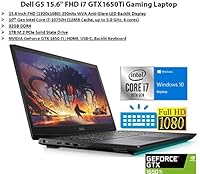
  • Processor: Powered by an Intel Core i7-10750H with 6 cores, 12 threads, and a boost clock up to 5.0GHz, delivering strong single-core and multi-core performance for gaming and productivity workloads.
  • Graphics: Equipped with a dedicated NVIDIA GeForce GTX 1650 Ti with 4GB of GDDR6 VRAM, capable of running 1080p titles at medium-to-high settings in most games released before 2023.
  • RAM: Ships with 32GB of DDR4 memory running at 2400MHz, which is significantly above the 16GB standard found in most competing laptops at a similar price point.
  • Storage: Includes a 1TB PCIe NVMe SSD providing fast read and write speeds that noticeably reduce Windows boot times and in-game level load times compared to traditional HDDs.
  • Display Size: Features a 15.6″ Full HD IPS-level WVA panel with a native resolution of 1920x1080, offering a comfortable screen size for both gaming and general use at a desk.
  • Refresh Rate: The display runs at 120Hz, delivering visibly smoother motion in fast-paced games compared to standard 60Hz laptop panels common in the same price bracket.
  • Brightness: Peak display brightness is rated at 250 nits, which is adequate for indoor and dim-room use but may appear washed out in brightly lit spaces or near windows.
  • Operating System: Ships with Windows 10 Home 64-bit pre-installed; users should verify Windows 11 compatibility and hardware driver availability before upgrading, as this is a 10th-gen Intel platform.
  • Wireless: Supports 802.11ac (Wi-Fi 5) 2x2 dual-band wireless connectivity and Bluetooth, providing reliable wireless performance for gaming and peripheral connections in most home and office environments.
  • Ports: Offers 2x USB 2.0, 1x USB 3.2 Gen 1 Type-A, 1x USB-C, 1x HDMI 2.0, 1x mini DisplayPort, 1x RJ-45 Ethernet, a standard SD card slot, and a 3.5mm headset jack.
  • Keyboard: Includes a full-size backlit keyboard, making it practical for use in low-light environments such as dorm rooms, offices after hours, or during late-night gaming sessions.
  • Weight: The unit weighs 5.18 pounds, which is typical for a 15.6″ gaming laptop but is heavier than ultrabook-class machines and requires a bag for comfortable daily transport.
  • Dimensions: Measures 14.4 x 10 x 0.96 inches, giving it a relatively slim profile for a gaming machine while still accommodating a full array of ports and cooling hardware.
  • Battery: Powered by an included Lithium-Ion battery pack; real-world battery life during active use is limited, as is typical for gaming laptops in this performance class.
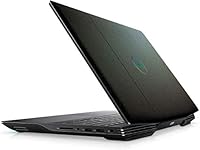
  • Color and Finish: Available in Interstellar Dark, a matte dark black colorway that resists visible fingerprints better than glossy finishes and gives the chassis a restrained, non-flashy gaming aesthetic.

Related Reviews
NIAKUN LAITMIN 15.6-inch Gaming Laptop
65%
74%
Value for Money
41%
Gaming Performance
78%
Productivity Performance
67%
Display Quality
53%
Build Quality
More
Dell Inspiron 15 i7-1255U 32GB 1TB
76%
88%
Performance & Processing Speed
91%
RAM & Multitasking
86%
Storage Speed & Capacity
84%
Display Quality
71%
Build Quality & Design
More
Dell Inspiron 3000 15.6-inch Laptop, Intel Celeron N4020, 16GB RAM, 1TB HDD
81%
91%
Value for Money
88%
Performance for Everyday Tasks
85%
Multitasking Ability
68%
Display Clarity
82%
Battery Life
More
NIMO N155L 32GB/1TB
NIMO N155L 32GB/1TB
72%
88%
Processing Performance
91%
RAM & Memory Experience
87%
Storage Speed & Capacity
58%
Gaming Capability
66%
Display Quality
More
HP Victus 15 32GB 1TB Gaming Laptop
70%
63%
Gaming Performance
81%
Display Quality
89%
RAM & Memory
86%
Storage Performance
78%
CPU Performance
More
MSI Katana A15 AI Gaming Laptop
67%
91%
Gaming Performance
88%
Display Quality
67%
Thermal Management
54%
Fan Noise
43%
Battery Life
More
Dell Inspiron 15 3520 Laptop
74%
76%
Performance & Speed
81%
Display Quality
83%
Touchscreen Responsiveness
89%
Storage & Memory
62%
Battery Life
More
Dell Inspiron 3593 15.6-inch Laptop
68%
74%
Everyday Performance
81%
SSD Speed & Storage
52%
Display Quality
63%
Battery Life
57%
Build Quality
More
Dell Inspiron 15 Ryzen 7 7730U 32GB/1TB Touchscreen
74%
84%
Performance & Multitasking
91%
RAM & Memory Headroom
88%
Storage Speed & Capacity
79%
Touchscreen Display
63%
Build Quality & Chassis
More
Dell Inspiron 3511 15.6″ Touchscreen Laptop
72%
88%
Value for Money
81%
Multitasking Performance
91%
Storage & Speed
73%
Display Quality
79%
Touchscreen Usability
More

FAQ

The GTX 1650 Ti handles most competitive titles and games released before 2022 at 1080p medium-to-high settings without much trouble — think Valorant, Apex Legends, CS2, and older AAA titles running well. For newer, GPU-heavy games released in 2023 and later, you will likely need to drop settings to medium or lower to maintain playable frame rates. It is not a GPU for ray tracing or future-proofing, but for its intended use case it still gets the job done.

For pure gaming, 16GB is usually enough, so the extra headroom mostly benefits people who multitask heavily — streaming their gameplay, keeping a browser with many tabs open, running Discord, and gaming simultaneously without any slowdowns. If you also use the machine for video editing, running virtual machines, or productivity-heavy work, the 32GB starts earning its place quickly. It is a genuine advantage over competitors in this bracket, not just a marketing number.

Fairly loud, honestly. Under sustained gaming load the fans ramp up noticeably and stay that way, which can be distracting in quiet environments. If you are gaming with headphones, it is less of an issue, but if you are in a shared space like a library or bedroom with others nearby, the fan noise is something to be aware of. This is a common trade-off in actively cooled gaming laptops at this size and price point.

Do not plan to be far from an outlet. Under light use like browsing or document editing, you might get 3 to 4 hours, but during gaming sessions the battery drains much faster. This is a plugged-in machine by design — gaming laptops with powerful CPUs and dedicated GPUs are simply not built for all-day unplugged use, and the Dell G5 is no exception.

Yes, and the port selection here is actually one of the stronger aspects of this machine. You get HDMI 2.0, a mini DisplayPort, and a USB-C port, all of which can drive external displays. HDMI 2.0 supports 4K output at 60Hz to a compatible monitor or TV, which is useful even if the internal GPU struggles to render games at 4K.

The 10th-gen Intel platform meets most Windows 11 hardware requirements, including TPM 2.0 support, so the upgrade is generally possible. That said, it is always worth running Microsoft's PC Health Check tool before upgrading to confirm your specific unit qualifies, and checking that all drivers — especially for the GPU and Wi-Fi card — have Windows 11 versions available from Dell or NVIDIA before making the jump.

The G5 15.6-inch typically has accessible SO-DIMM RAM slots and an M.2 SSD slot, meaning both upgrades are possible with some technical confidence and the right tools. That said, given that this unit already ships with 32GB of RAM and a 1TB SSD, most users will not feel the need to upgrade storage or memory for several years. Always verify your specific unit's serviceability via Dell's documentation before purchasing upgrade components.

The WVA panel looks decent for everyday use — colors are acceptable and the anti-glare coating makes it comfortable to work on for long periods indoors. Where it shows its limitations is in bright environments: at 250 nits, the screen can look dim near windows or under strong overhead lighting. It is also not a color-accurate panel, so photo or video editors who care about color fidelity would be better served by an IPS or OLED alternative.

It is actually one of the more practical choices for that dual-purpose use case. The 32GB of RAM handles academic multitasking with ease, the 1TB SSD gives you plenty of room for applications, notes, and games, and the backlit keyboard makes it usable in lecture halls or dorm rooms with dim lighting. The main trade-offs for campus use are the weight and poor battery life, so if you plan to carry it between classes all day, factor in that you will want to bring the charger along.

It feels like what it is: a mid-range gaming laptop with a plastic body. The construction is solid enough that it does not flex or creak excessively, and the Interstellar Dark finish hides smudges reasonably well. Buyers upgrading from a budget laptop will likely find the build quality acceptable, while anyone coming from a premium aluminum-chassis machine will notice the step down. It is functional rather than premium — which is a fair trade at this price point.